What is ‘PAYTM / ONE97’ on my bank statement?
A line showing PAYTM or ONE97 marks a payment handled by One97 Communications Limited. It reflects a digital recharge, bill payment, wallet transaction, or a purchase where the merchant uses Paytm payment services.
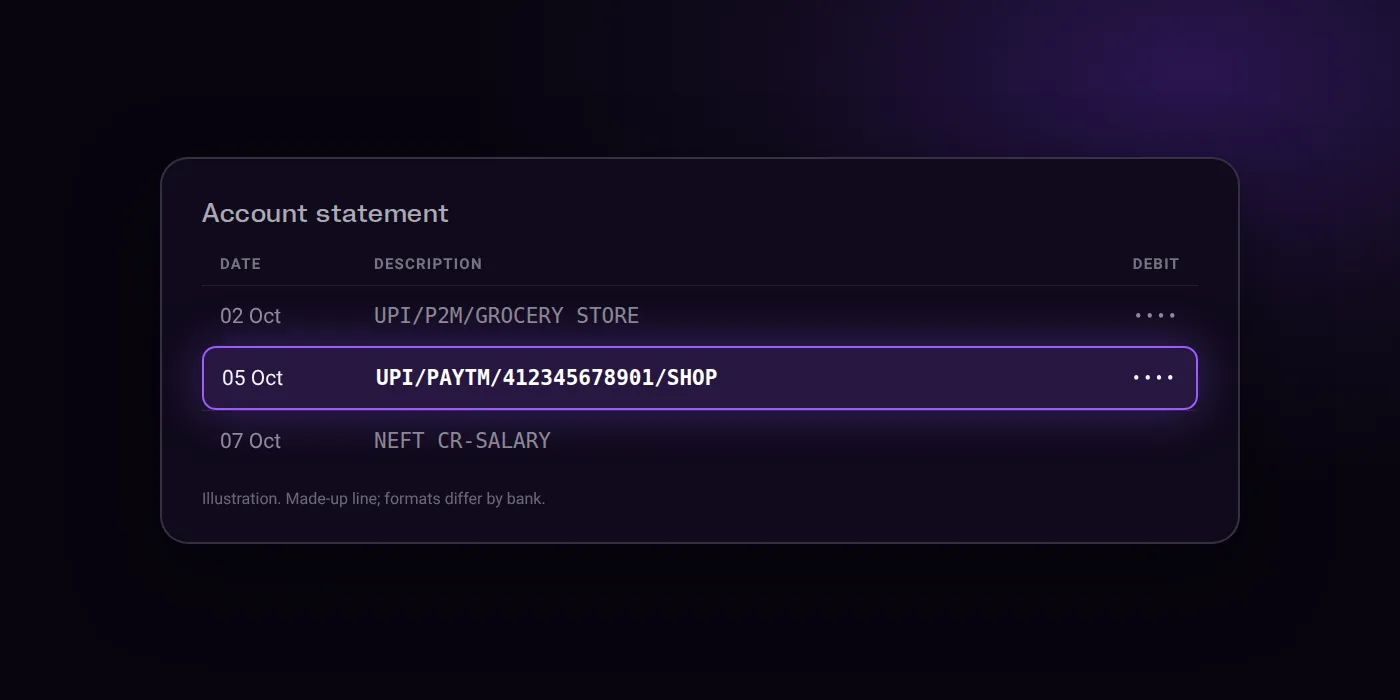
How it can look (made-up examples)
UPI/PAYTM/412345678901/SHOPPAYTM PAYMENTS SERVICES NOIDAONE97 COMMUNICATIONS LTD
What it is
Services rendered by One97 Communications Limited under the brand name Paytm, covering digital services such as recharge, bill payment, semi-closed wallet, and marketplace services.
Who charged you
A merchant or recipient that uses the gateway or payment services of Paytm.
How to find out what it was
- Check your UPI transaction history in the Paytm app by going to Profile > Help & Support (24x7 Help), where the chat assistant displays relevant transactions, or tap View More to see older transactions.
- For merchants, view transaction history on the GPRS machine by pressing F1, on an Android machine by tapping the top 3 bars on the Payments Screen, or by tapping Payments on the Paytm for Business App homescreen.
- Download transaction or settlement reports by logging into the Business with Paytm App, tapping Payments, selecting a date range, and clicking Download statement.
Is it recurring? How to stop it
- Raise a complaint in the Paytm app by opening the app, selecting Profile > Help & Support, selecting the transaction, choosing the issue (such as Payment Failed, Money Debited but Not Credited, Wrong UPI Transaction, or Unauthorized/suspicious transactions), and submitting a support ticket.
- Contact your bank directly to report an incorrect transfer or delayed reversal.
- If a transaction was the result of a fraud or scam, immediately call the 1930 Cyber Fraud Helpline and report it to your bank.
- To manage recurring debits, access your Profile screen on Paytm, select Automatic Payments, and update the payment mode or settings for the listed automatic payments.
Step-by-step guides:
Think this charge is fraud?
- Block it now in your bank app: freeze the card, or turn off the UPI ID or mandate that was used.
- Tell your bank straight away, through the app, net banking or its customer care, so the transaction is on record.
- Report the fraud: call the national cyber fraud helpline 1930, or file a complaint at cybercrime.gov.in.
Good to know
- Completed UPI payments cannot be reversed or cancelled from the sender's side instantly.
- Failed transactions where money is debited are typically reversed automatically according to RBI-prescribed timelines.
- There is no guarantee of fund recovery for wrong transfers, though acting promptly improves the likelihood.
Questions people ask
Why is PAYTM or ONE97 on my bank statement?
A merchant or service using Paytm payment infrastructure debited your account. You can identify the exact payment by going to Profile, then Help & Support in your Paytm app, where the chat assistant lists your recent transactions.
Will this payment happen again?
It will repeat only if an active mandate is linked to your account. You can view or change these recurring debits by opening your Profile screen in the Paytm app and selecting Automatic Payments.
What should I do if the payment looks suspicious?
Check your transaction history in the Paytm app and your bank app first. If the debit is unauthorised, submit a ticket under Help & Support in Paytm, contact your bank, and lodge a complaint with the national cyber fraud helpline.
Can I cancel the payment and get my money back?
Completed UPI payments cannot be reversed from the sender's side instantly. If the transaction failed but money left your account, it is typically reversed automatically under RBI-prescribed timelines, though wrong transfers offer no recovery guarantee.
How do I dispute a PAYTM transaction?
Open the Paytm app, go to Profile > Help & Support, pick the transaction, select the relevant issue, and submit a ticket. You can also contact your bank directly to report an incorrect transfer or a delayed reversal.
Last checked on against business.paytm.com, paytm.com, paytm.com, paytm.com, paytm.com, business.paytm.com (official). Statement formats differ by bank; the examples above are made up to show the shape.