How to cancel Pocket FM subscription and autopay
To cancel your Pocket FM subscription, open the app and tap Profile > Settings > Manage Subscription > Cancel Subscription. If you subscribed through Google Play Store or Apple App Store, cancel it directly in your store subscription settings to stop autopay.
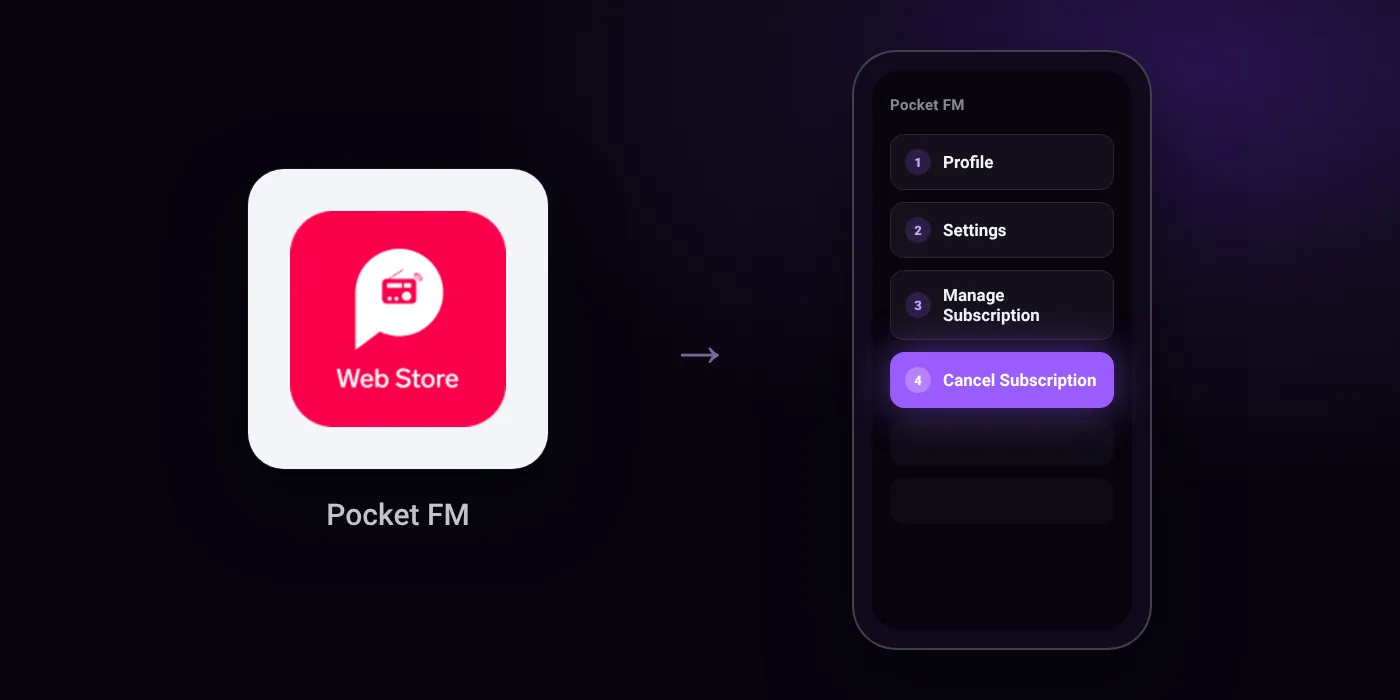
Quick path
- Profile
- Settings
- Manage Subscription
- Cancel Subscription
Steps to cancel Pocket FM
- Open the Pocket FM application on your device.
- Tap on your Profile icon.
- Go to Settings.
- Click on Manage Subscription.
- Tap Cancel Subscription to proceed with the cancellation.
In the app
Profile > Settings > Manage Subscription > Cancel Subscription
Before you cancel
- Refunds: Canceling prevents future renewals and auto-debits, but does not refund charges that have already been processed.
- Subscriptions purchased via Google Play Store or Apple App Store must be cancelled through the respective store subscription settings.
- If you cannot find your active subscription or plan in the app, contact Pocket FM support using the registered phone number or email address on the account.
Paid through UPI AutoPay? Cancel the mandate too
Cancelling Pocket FM ends the membership. If you paid with UPI AutoPay, the mandate that lets Pocket FM debit your account is separate, and it lives in the UPI app you approved it in. Open that app’s AutoPay list and cancel the Pocket FM mandate as well.
- Cancel Pocket FM autopay in PhonePe
- Cancel Pocket FM autopay in Google Pay
- Cancel Pocket FM autopay in Paytm
- Cancel Pocket FM autopay in BHIM
- Cancel Pocket FM autopay in Amazon Pay
Paid by card instead? See how to cancel recurring payments on a card.
Questions people ask
How do I cancel Pocket FM autopay on Android or iPhone?
Subscriptions bought via Google Play Store or Apple App Store must be cancelled directly in your store settings. Cancelling inside the app or removing the app does not cancel an app store mandate on its own.
Will I get a refund if I cancel my Pocket FM subscription?
No. Cancelling prevents future renewals and auto-debits, but it does not refund payments that have already been processed.
Does deleting the Pocket FM app cancel the subscription?
No, deleting the app leaves your subscription and billing active. You must cancel under Profile > Settings > Manage Subscription or inside your Google Play Store or Apple App Store account.
What if my active Pocket FM plan does not show in the app?
Check your Google Play Store or Apple App Store subscription settings first to see if it was billed there. If it is still missing, contact Pocket FM support using your registered phone number or email address.
Will Pocket FM charge me again after I cancel?
No. Once cancelled, future renewals and auto-debits stop. Ensure the cancellation is complete in the app or confirmed in your app store account.
Last checked on against pocketfm.com (official), pocketfm.freshdesk.com. Apps change their menus; if a step looks different, the option is usually nearby.